

Barco CX-30 Clickshare Wireless Conferencing & Presentation System, 2 Buttons, Medium Rooms (2nd Gen)
Pricing available upon request
Barco



Pricing available upon request
Transform Small Meeting Rooms and Huddle Spaces Into Inspiring Conference Facilities
The modern world of enterprise requires smooth collaboration and flexibility, especially when it comes to team meetings in huddle rooms, and this is exactly what Barco ClickShare CX-20 provides. Encouraging creative innovation through seamless wireless conferencing, ClickShare CX-20 can make meetings more inspiring and more productive.
Start a Huddle Meeting From Your Device
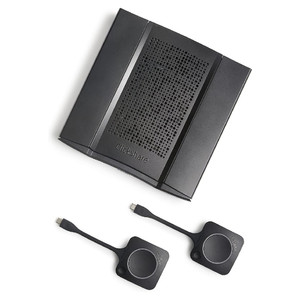
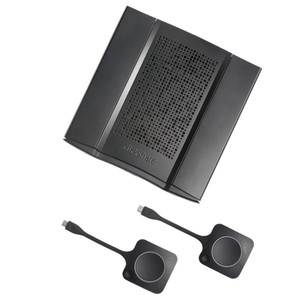
With ClickShare CX-20, it’s easier than ever to start remote huddle meetings from your device, bringing a seamless and immersive conferencing experience to all participants, whether local, guest or remote. Use your preferred conferencing software combined with the ClickShare Conferencing Button and you can start your conference in less than seven seconds. The CX-20 connects wirelessly to existing huddle room cameras, speakerphones and audio peripherals, saving time and maximizing efficiency.
Decide How You Want to Collaborate
ClickShare CX-20 provides you with exceptional flexibility and choice, enabling you to decide just how you want to collaborate. Whether you’re on PC, Mac or mobile, the ClickShare Wireless Conferencing Button and ClickShare Collaboration App facilitate a user experience that’s both straightforward and consistent. In addition to its multi-device compatibility, ClickShare CX-20 is also fully compatible with your conferencing platform (UC) technology and your brand of USB-peripherals. Additional features such as local view of the room display help to optimize the experience.
Enhanced Security and Seamless Integration
A perfect fit for any business environment, the ClickShare CX-20 wireless conferencing system comes equipped with a selection of great features for enhanced security and seamless integration. ClickShare Conference provides hassle-free integration with any IT network, while the XMS (Cloud) Management Platform provides for easy device management, as well as an intuitive user experience and clear analytics to get more out of your digital workspace.
Technical Specifications
* ClickShare Base Unit dimensions* General specifications
* System requirements: For a smooth experience with Microsoft Teams or Zoom
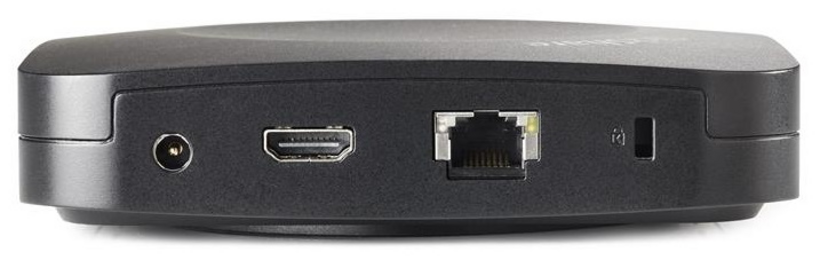
* Video outputs: 4K UHD (3840*2160) @ 30Hz. HDMI 1.4b or USB-C DisplayPort 1.2 (only Gen2)
* Authentication protocol
* Wireless transmission protocol: IEEE 802.11 a/g/n/ac and IEEE 802.15.1
* Frequency band: 2.4 GHZ and 5 GHz (DFS channels supported in select number of countries)
* Temperature range
* Humidity
* Anti-theft system: Kensington lock
Pricing available upon request
Barco
Pricing available upon request
Barco
Pricing available upon request
Barco
Pricing available upon request
Barco